iPhone vibration camera

See vibration.
Read frequency.

Point your iPhone at running machinery. VibraLens records at up to 240 fps, paints a color overlay wherever it finds periodic vibration, and reads out the dominant frequency in hertz — entirely on-device.

$4.99 one-time purchase
No subscription · No ads · No account

240 fpsslow-motion sensing
8–115 Hzreliable band
≈480–6,900RPM equivalent
0 bytesleave your phone
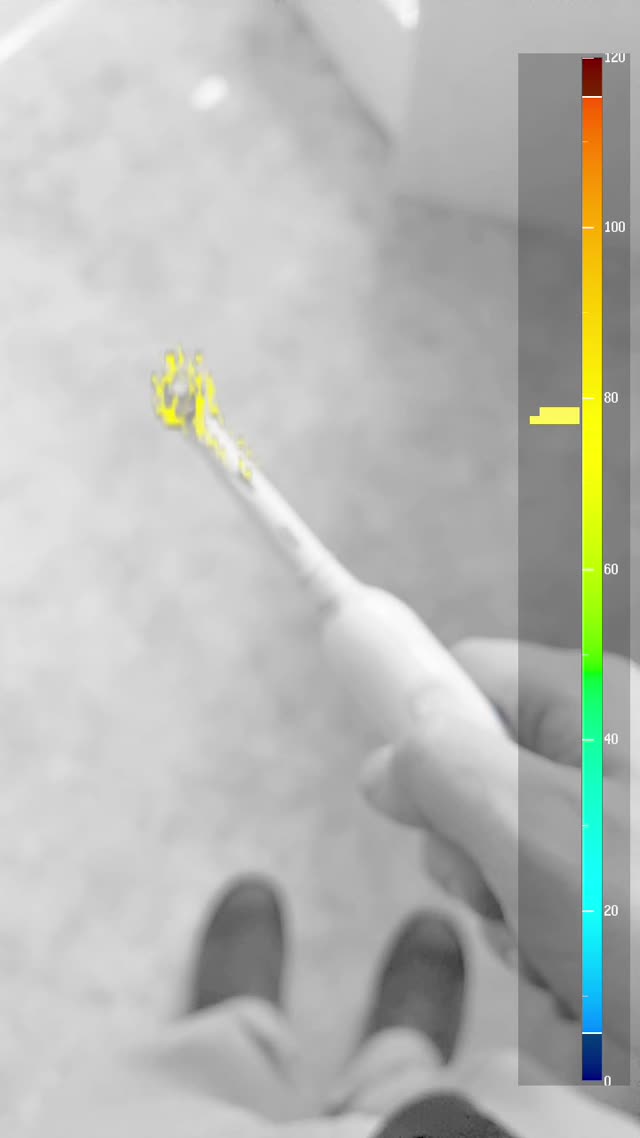
VibraLens live view: an electric toothbrush head painted yellow by the vibration overlay, reading about 78 Hz on the 0–120 Hz color legend
78 Hz
Dominant freq

Field procedure

Three steps to a reading

No sensors to mount, no wires, no pairing. If you can see the machine, you can measure it.

01 / POINT

Aim at the machine body

Frame a textured spot — labels, bolts, edges — on the housing, not a spinning blade or belt. Brace the phone, add light or use the built-in torch.

02 / SEE

Watch the overlay paint

Color marks where periodic vibration lives. The hue maps to frequency on an absolute 0–120 Hz legend — same colors, every machine, every time.

03 / READ

Read Hz, record proof

The live readout shows the dominant frequency. Tap record to save a video with the legend and readout burned in — ready to share with the shop.

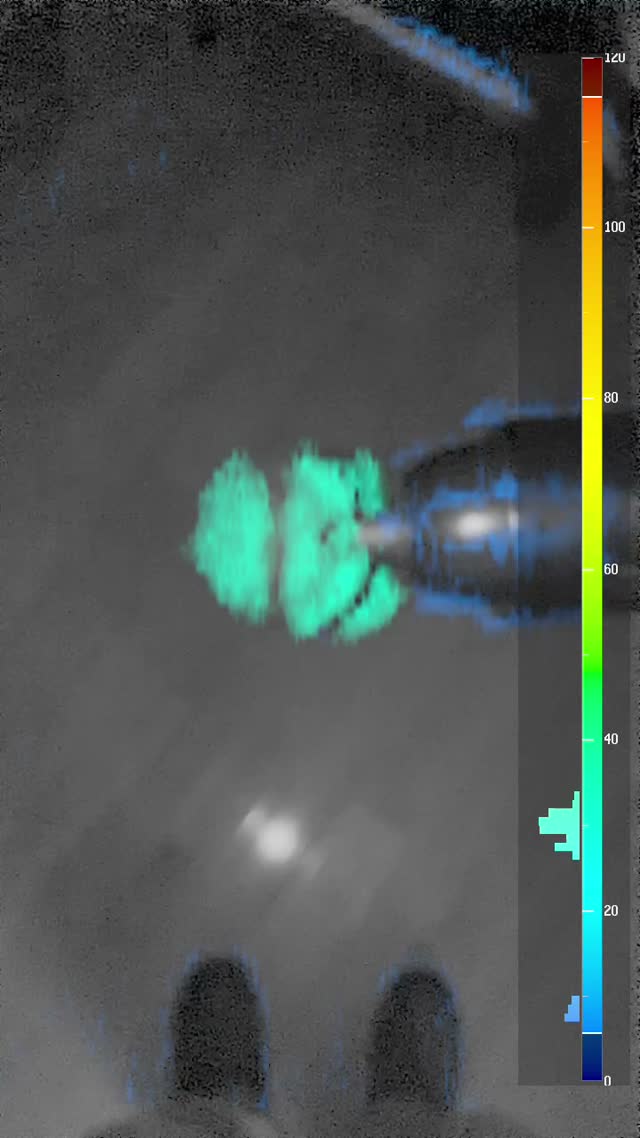
VibraLens in a dim shop: cyan vibration overlay on a running power tool against the 0–120 Hz legend

Built for real conditions

An instrument, not a gimmick

VibraLens behaves like test equipment. It suppresses mains-frequency light flicker (and tells you when it does), lowers its measurable ceiling honestly when frame rate drops, and gives you LO/HI band filters and a sensitivity threshold — so what you see is signal, not noise.

60 Hz

Flicker rejection

Indoor lighting flicker is filtered and flagged with an on-screen chip.

LO / HI

Band filters

Thumb sliders isolate the band you care about — e.g. filter out handheld tremor below 25 Hz.

MAX Hz

Honest ceiling

Heat or low light dropping the frame rate? The app shows its reduced reliable limit instead of guessing.

REC ●

Evidence video

Recordings burn in the legend and Hz readout. Saved to Photos with add-only access.

TORCH

Light is signal

One-tap torch for dim scenes — steady DC light that also kills flicker.

SENS %

Detection threshold

Tune how much motion it takes to paint, from whisper-faint to unmistakable.
Straight answers

What it reads — and what it doesn't

VibraLens earns trust by being precise about its limits. It's a visualization and triage tool that tells you where and how fast — not a calibrated severity instrument.

It reads

  • Frequency of periodic vibration, ~8–115 Hz at 240 fps
  • Location — which part of the machine is moving
  • RPM equivalence — 60 Hz ≈ a 3,600 RPM motor
  • Change over time — recordings you can compare shift to shift

It does not read

  • Amplitude or severity — no mils, no mm/s, no go/no-go verdict
  • Sources above ~115 Hz — faster than ~7,000 RPM is out of band
  • Through darkness — light is signal; dim scenes raise noise
  • Anything requiring certification — it never replaces a contact instrument or a qualified technician
Safety first: never attach an iPhone to vibrating machinery. Stay clear of moving equipment and follow the manufacturer's safety procedures. For go/no-go decisions, bring in a qualified technician with a calibrated contact instrument.

Handy in the field

RPM ⇄ Hz converter

Compare what VibraLens reads against a machine's expected running speed. RPM ÷ 60 = Hz.

÷ 60 =
0 Hz306090120 Hz

✓ 60.0 Hz is inside VibraLens's reliable band (8–115 Hz)

Common checks: 1,800 RPM ≈ 30 Hz · 3,600 RPM ≈ 60 Hz · a healthy electric toothbrush reads ~75–80 Hz — a good first self-test.

Privacy by architecture

Nothing leaves your phone

Every camera frame is analyzed on the iPhone's own silicon. VibraLens has no server, no account system, no analytics SDK, and requests no network access at all. Your shop floor stays your business. Read the full privacy policy →

100% on-device processing No accounts, no tracking, no ads Add-only Photos access, on demand App Store privacy label: Data Not Collected